
Work / Smart Cooktop
Smart Temperature Probe
Rethinking Ztove's smart cooktop so all cooking controls live on the stove itself — a built-in touchscreen that ends the juggling between stove and phone.
Problem
Ztove's smart cooktop split cooking across two interfaces — the stove's display for some tasks, a phone app for others. Users lost track of where functions lived at exactly the moment their hands were full.
Approach
Observation, interviews, and participatory workshops with users; an interactive Figma prototype of a built-in touchscreen, tested in real cooking workshops; 3D CAD to ground the interface in shippable hardware.
Outcome
A single, self-contained cooking companion: the whole cooking flow — temperature, programs, timing — lives on the stove itself. Validated when testers tapped the screen without any prompting.
Challenge
cooking shouldn't be dual-screen
Ztove builds smart induction cooktops with precise, automated temperature control. But using them meant juggling two interfaces: the stove’s built-in display for some tasks, a phone app for others. Users lost track of where a function lived — right at the moment their hands were full.
The goal: explore how the whole cooking flow could live in one place, directly on the stove.
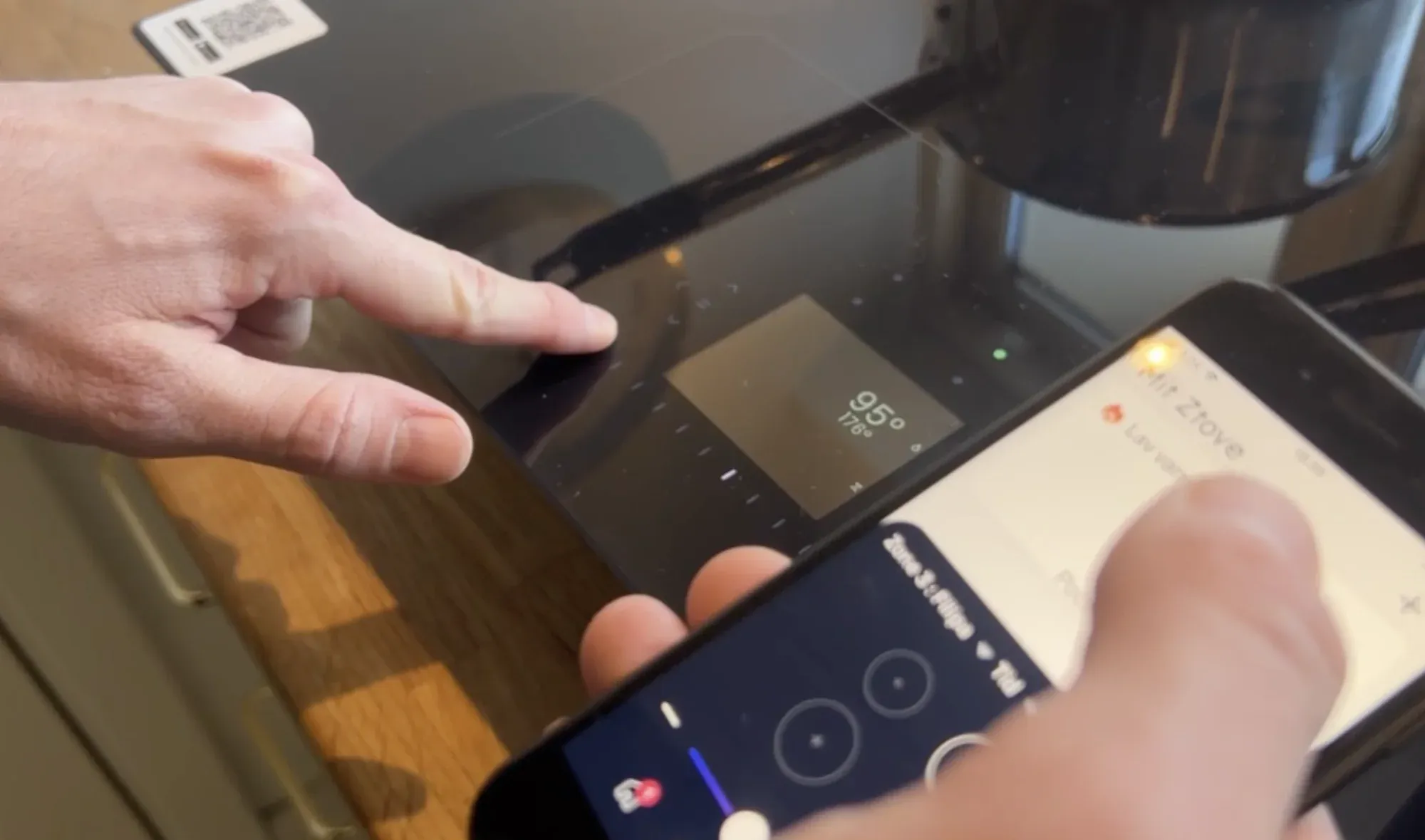
The starting point: essential controls split between the stove and this app.
New stage paragraph
Research
people already tried to touch the stove
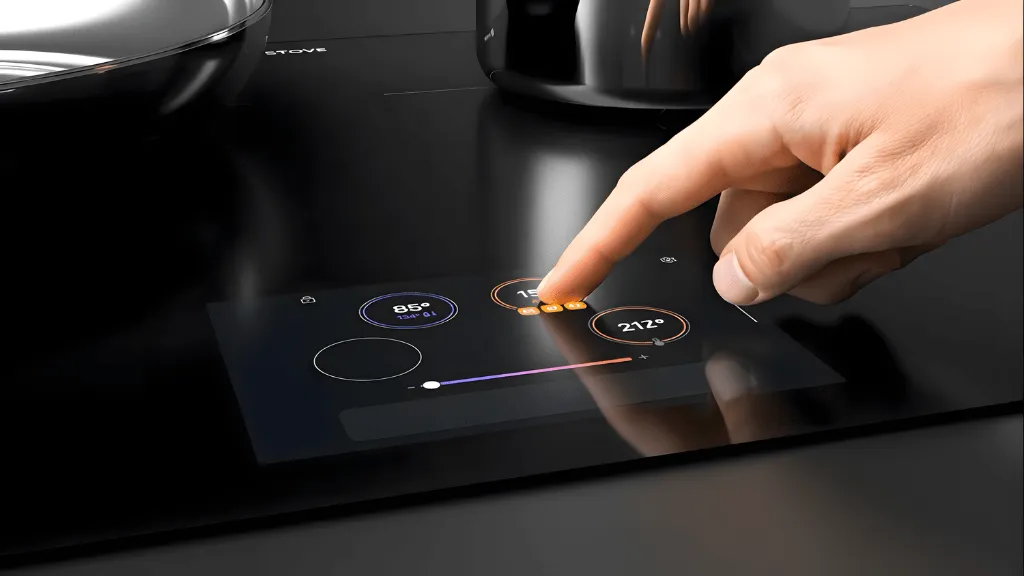
Observations, interviews, and participatory workshops with users surfaced one recurring expectation: people instinctively tried to touch the stove’s display. It looked touchable — it just wasn’t.
That insight set the direction: honor the affordance users already perceived. Move functionality out of the phone and onto a touch-responsive display built into the cooktop, so the phone becomes optional.
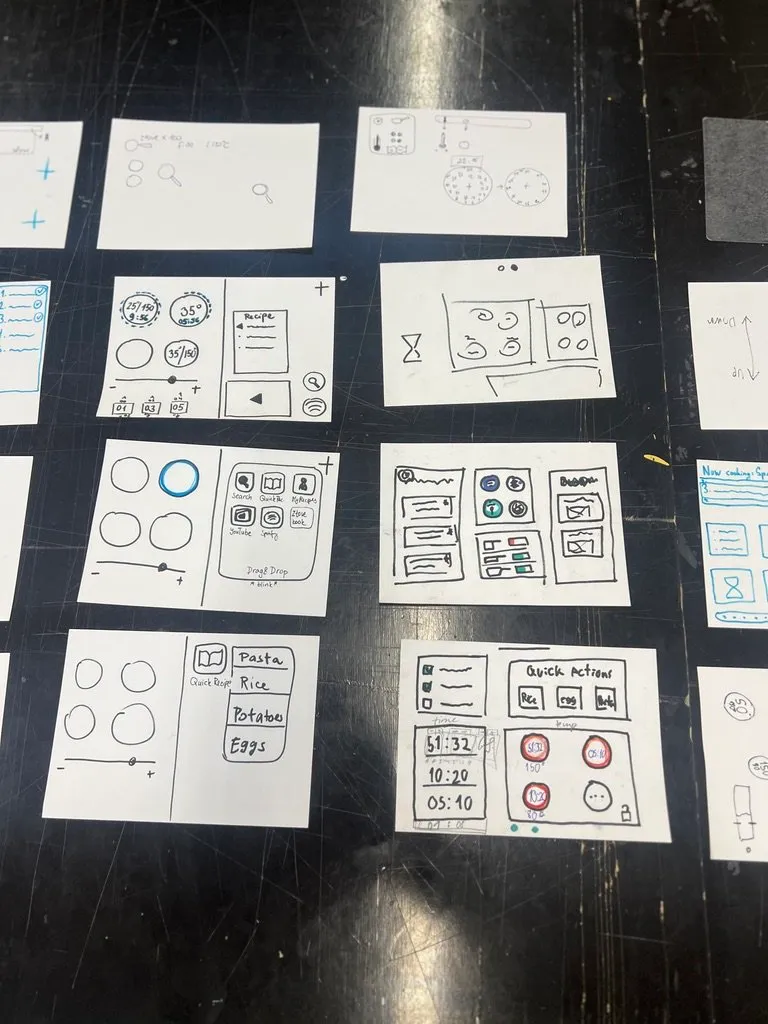
Concept sketches from the participatory workshops.
Prototyping
the flow where the hands already are
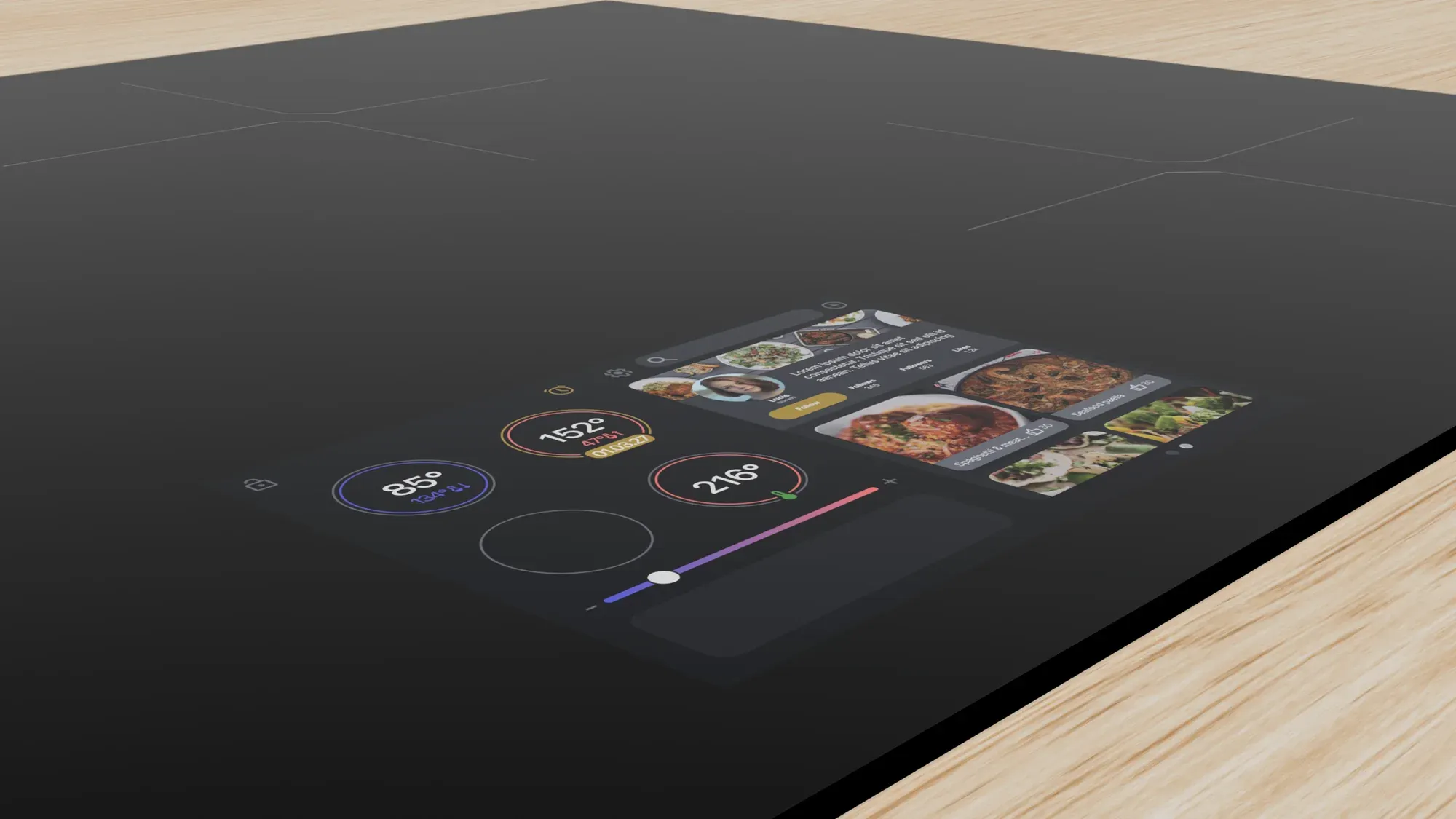
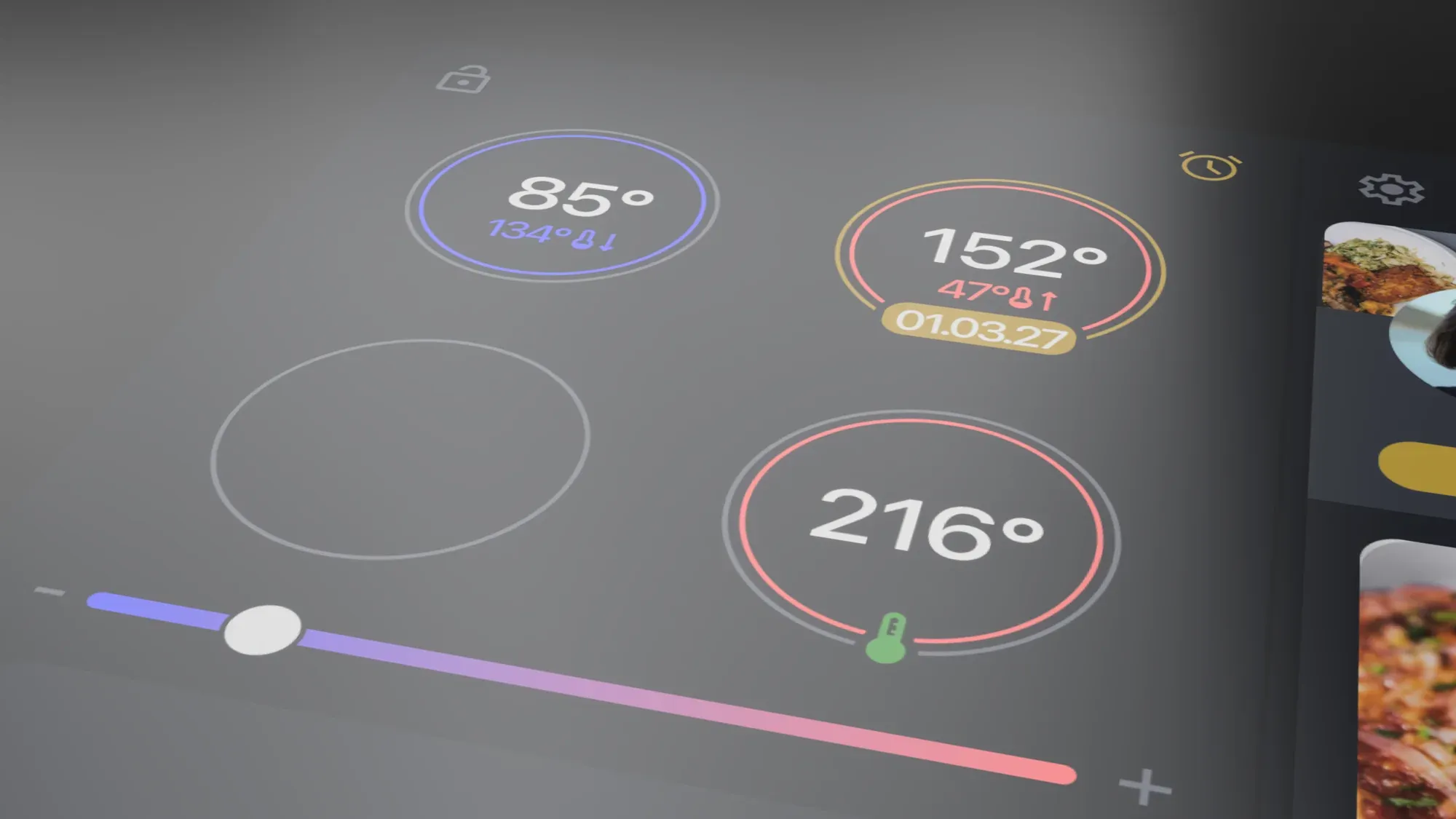
I designed the touchscreen layout and built an interactive prototype in Figma around the most common tasks — boiling, simmering, and timing. From the stove itself, users could:
- Adjust temperature with a swipe
- Follow step-by-step cooking programs
- Get visual cues when a step needs attention
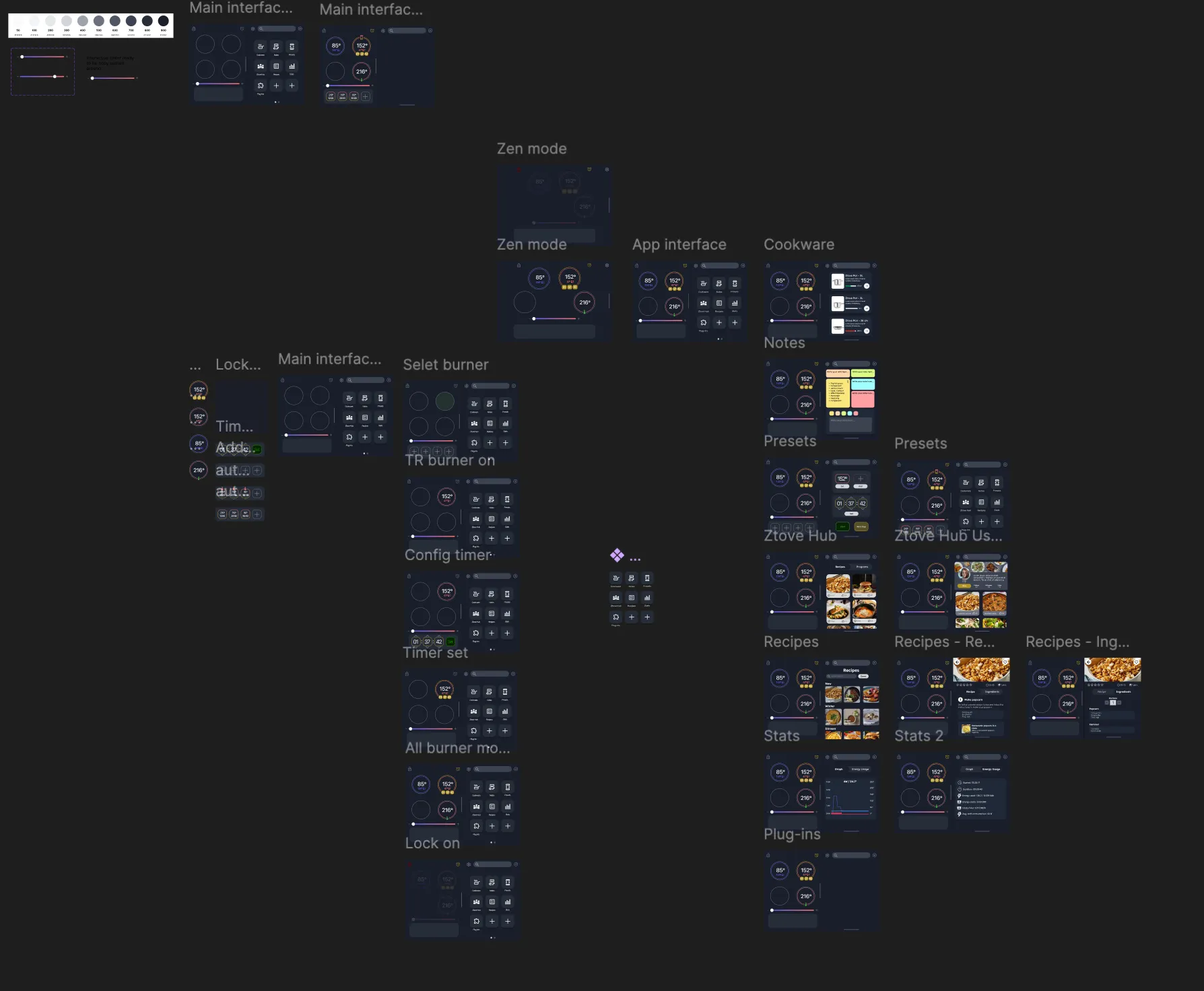
The interactive Figma prototype, built around the most frequent cooking tasks.
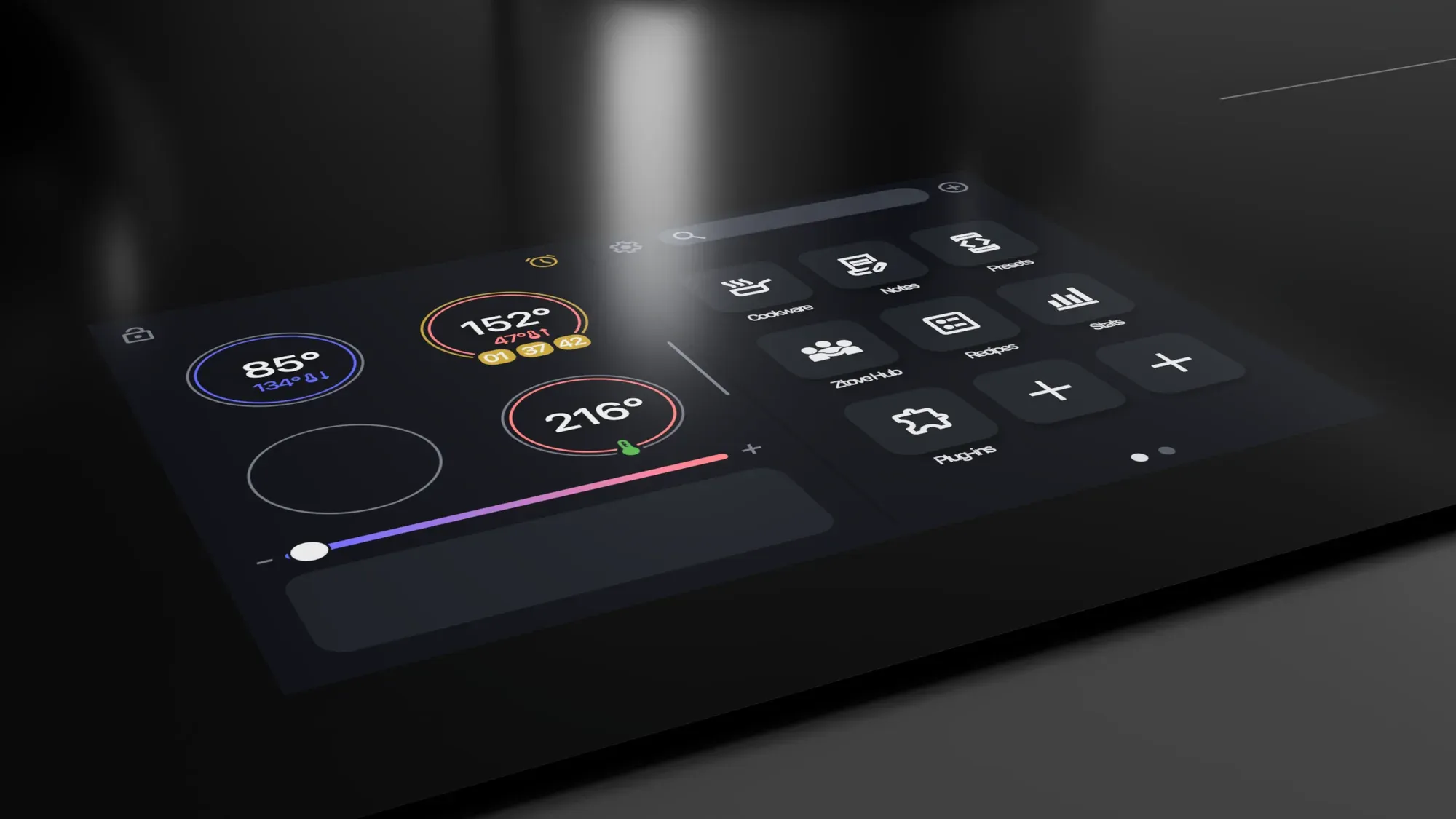
Task flows: boiling with automatic temperature hold, and step-by-step program guidance.
Testing
nobody asked how it works
We tested the prototype in a cooking-workshop setting, mounted where the real display would sit. Users reached out and tapped the screen without prompting — confirming the core assumption.
Having the cooking steps and the controls in the same place noticeably reduced cognitive load — the confusion of “dual-screening” between stove and phone disappeared.
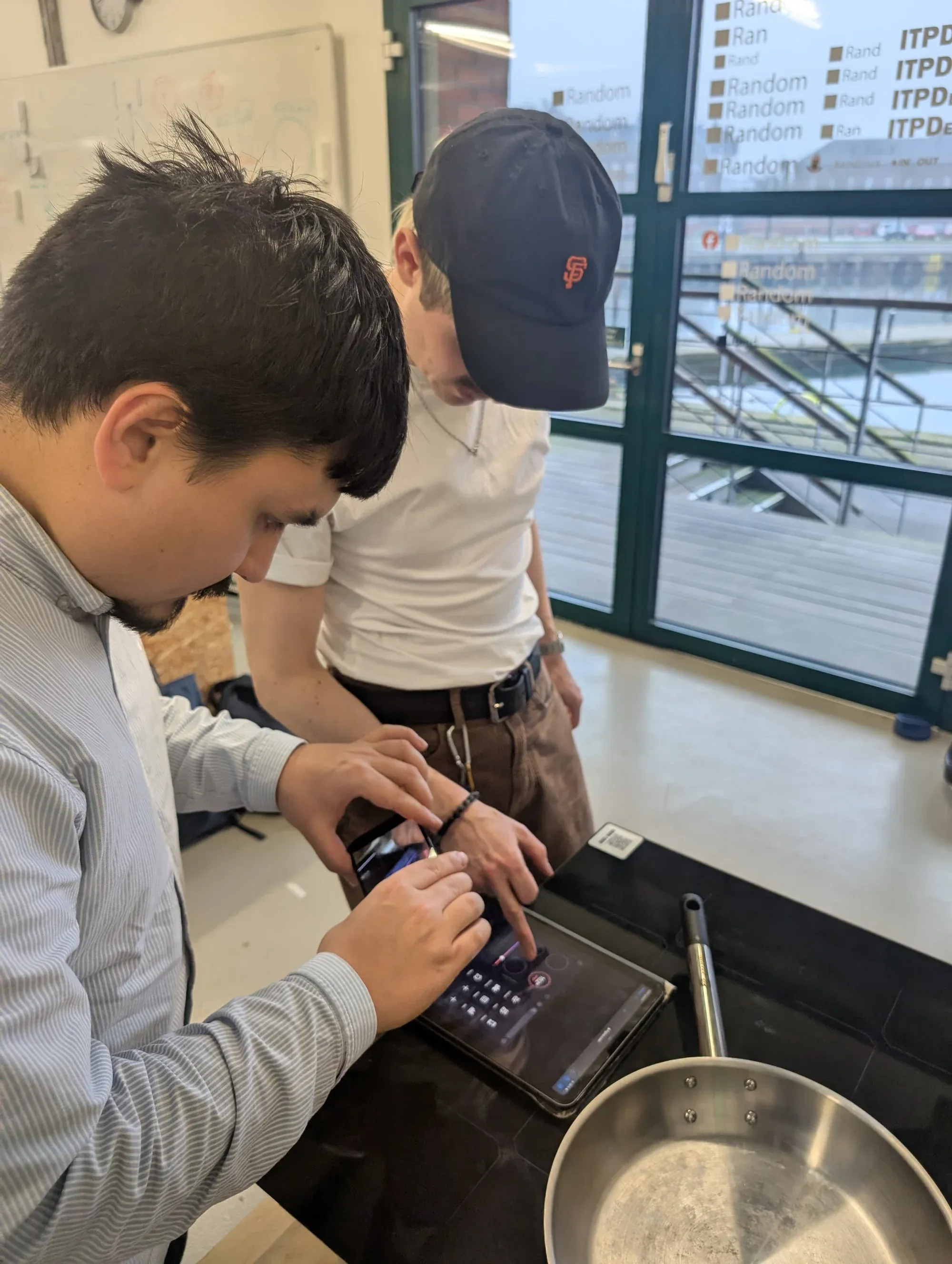
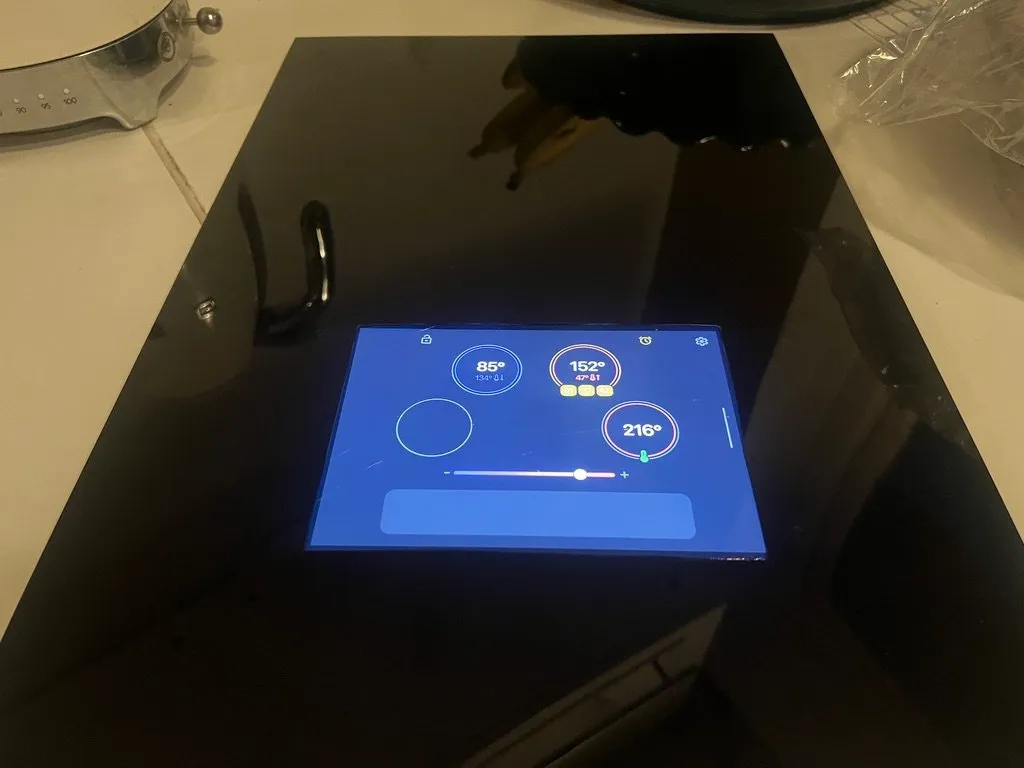
Workshop tests with the prototype mounted where the real display would sit.
The validated flows and screen placement fed directly into the hardware question: could this actually ship?
Hardware
from screen to cooktop glass
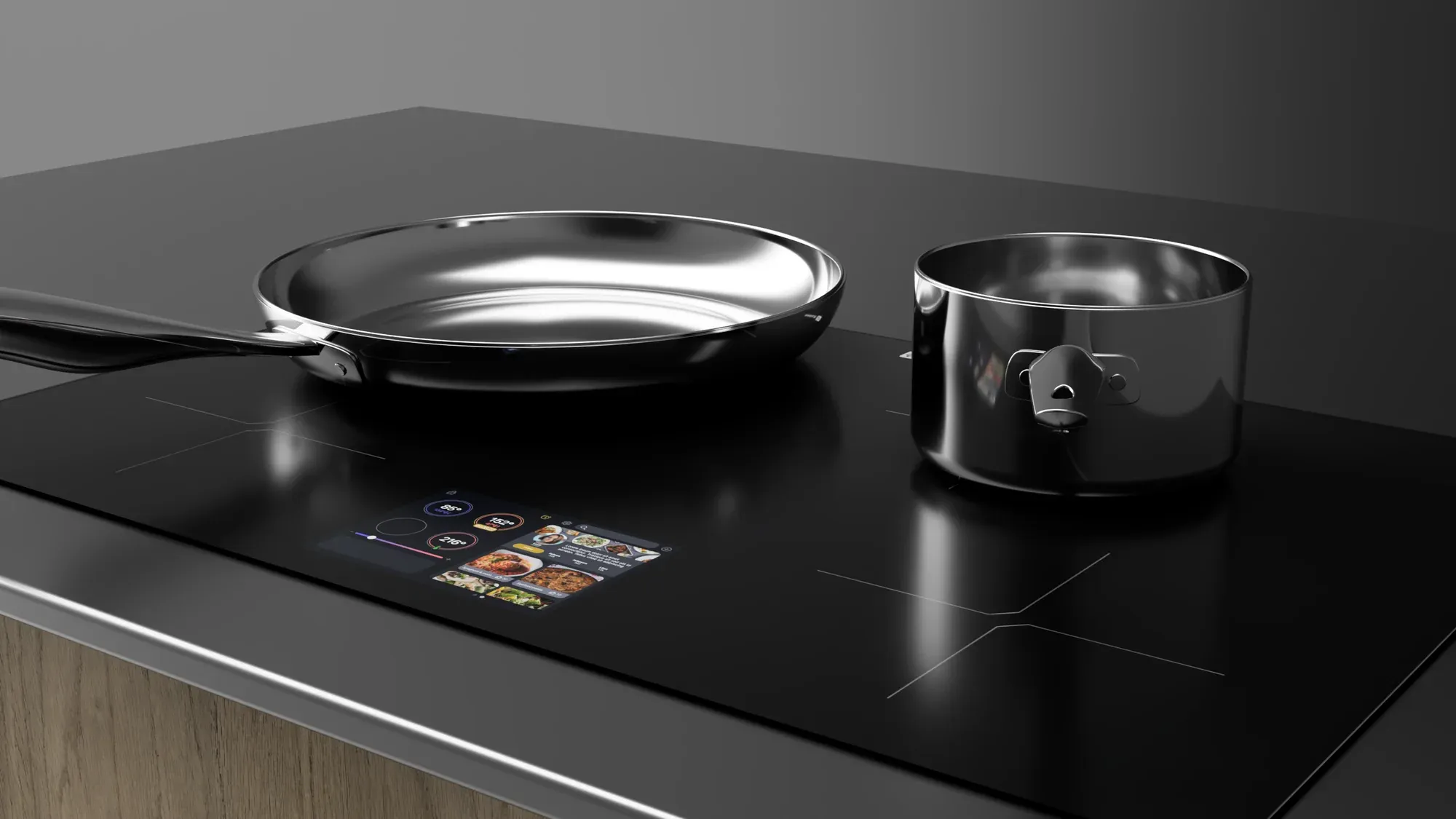
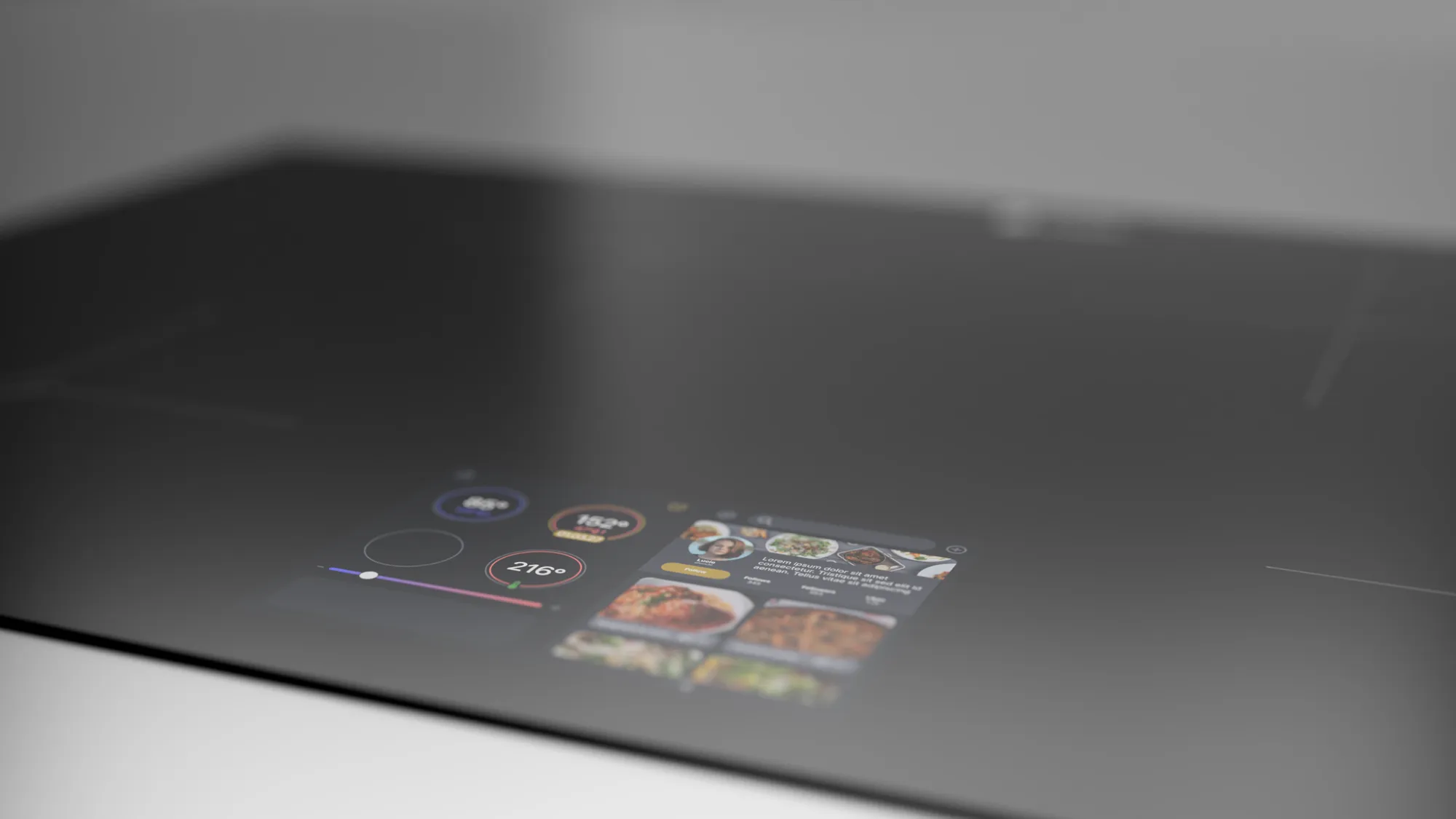
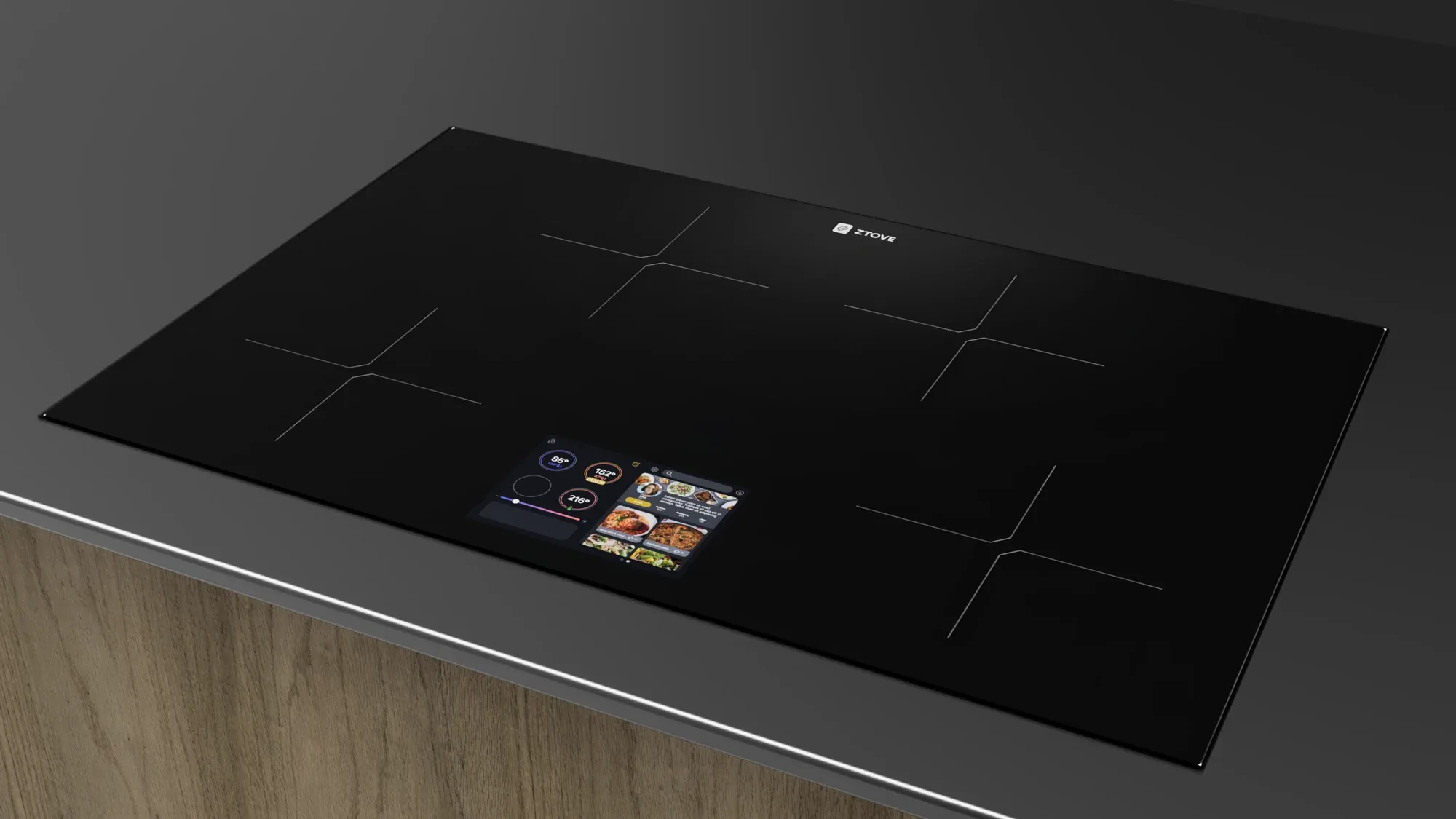
To ground the concept, I modelled the cooktop in 3D CAD with the touchscreen integrated into the glass surface — assessing ergonomics, reach, and safety while cooking, and visualizing how the interface could actually ship.
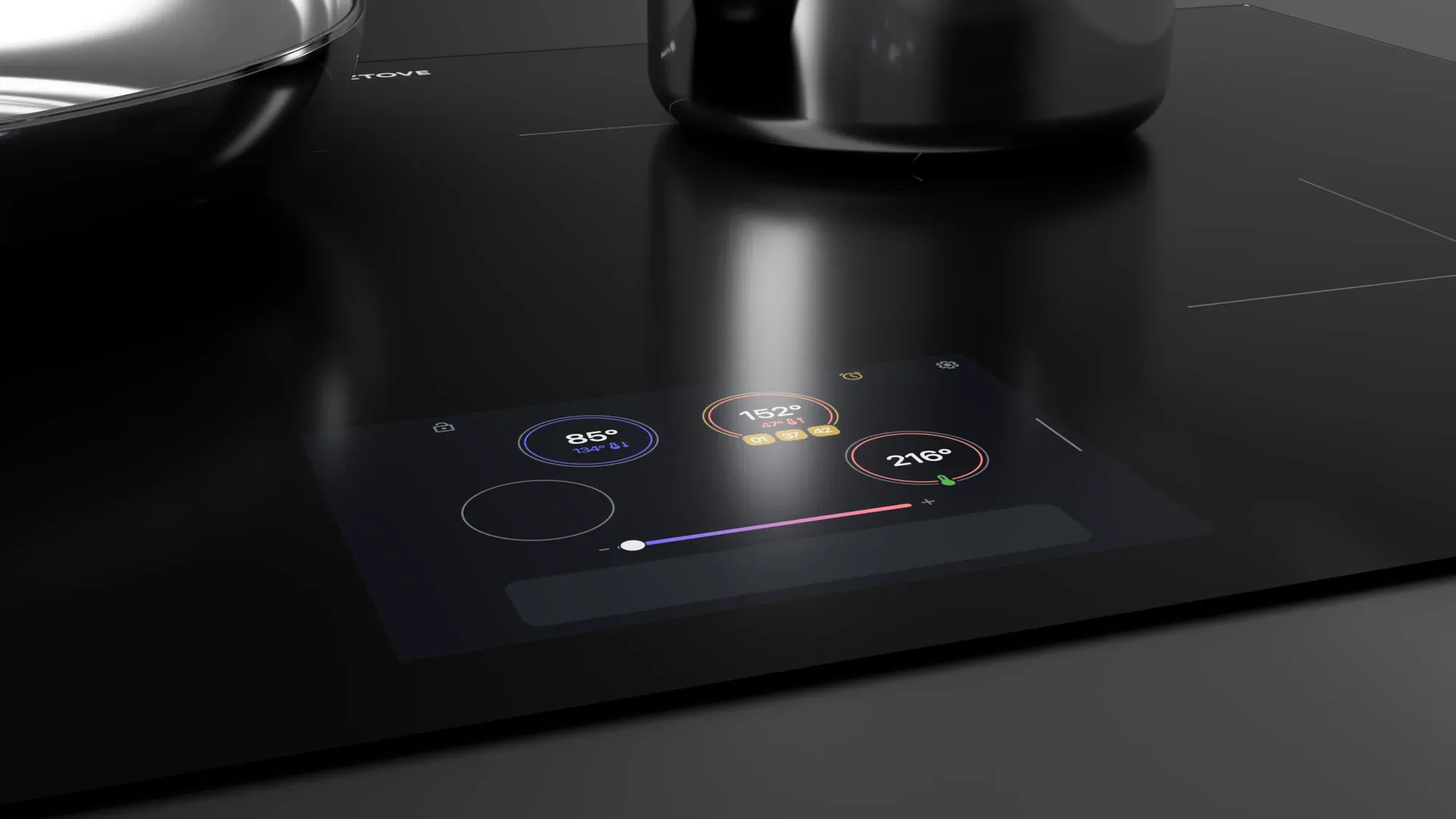
The display integrated into the glass, positioned for reach without leaning over hot zones.
Outcome & reflection
The concept turns the stove into a single, self-contained cooking companion — smart technology folded into everyday cooking habits instead of layered on top of them.
What the project taught me: when users keep “misusing” a product the same way, that’s not an error — it’s a design brief. People tapping a non-touch display told us exactly what the product wanted to become. Next steps: refine the display’s visual design, explore how different types of cooks use it, and validate with a high-fidelity prototype.